Every ticket,
ready on arrival
Share a ticket into TicketBrain and it’s filed, scannable, and ready — on every device you own, and nowhere else.
From the share sheet to the gate
Concerts, festivals, theatre, sports, theme parks, travel — TicketBrain reads your tickets, files them, and has the right code on screen the moment you arrive.
Add from the share sheet
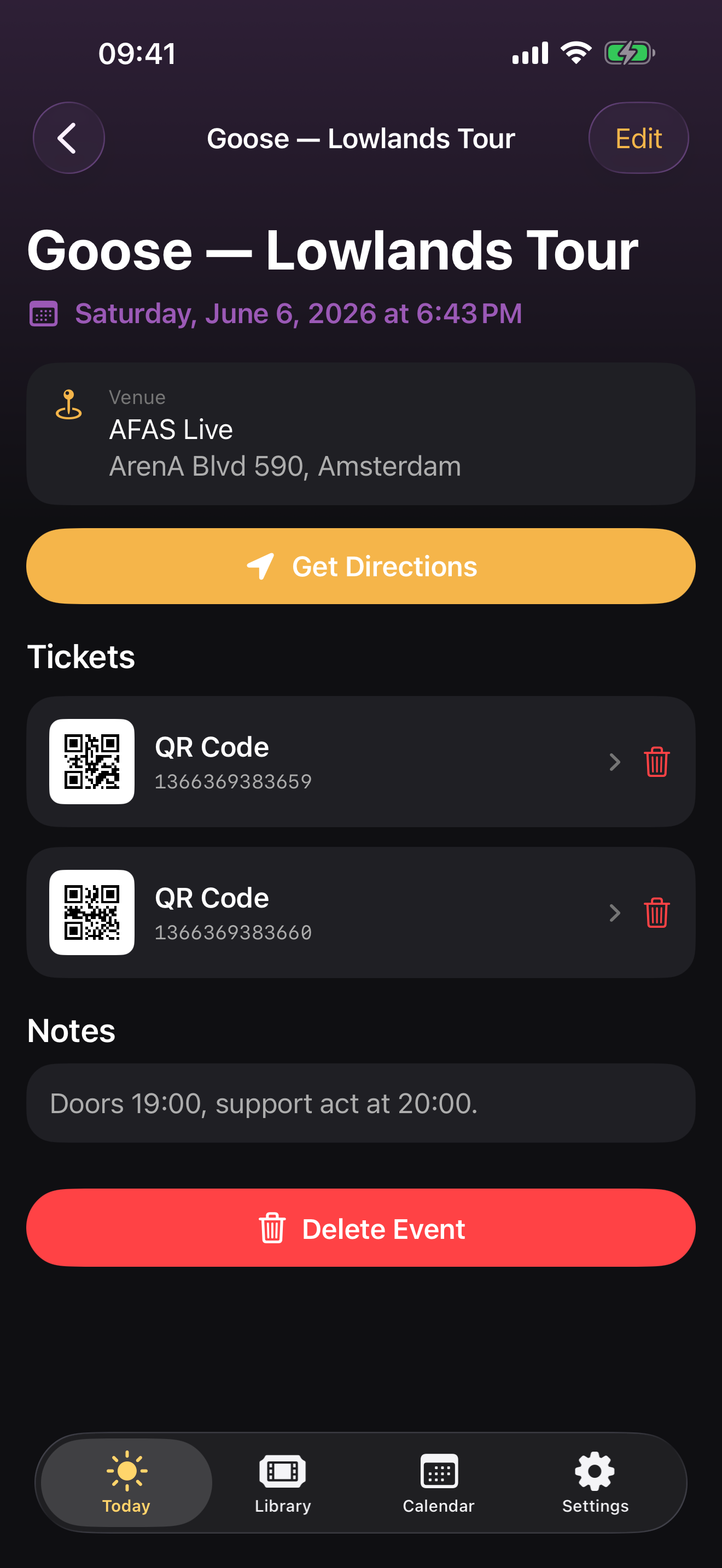
Share a PDF, a screenshot, or a photo of a printed ticket from any app. TicketBrain reads the barcode and pulls out the event, date and venue automatically.
One ticket per person
A multi-admission PDF splits automatically into a separate ticket for everyone in the group — each with its own code, ready to scan.
Bright, full-screen codes
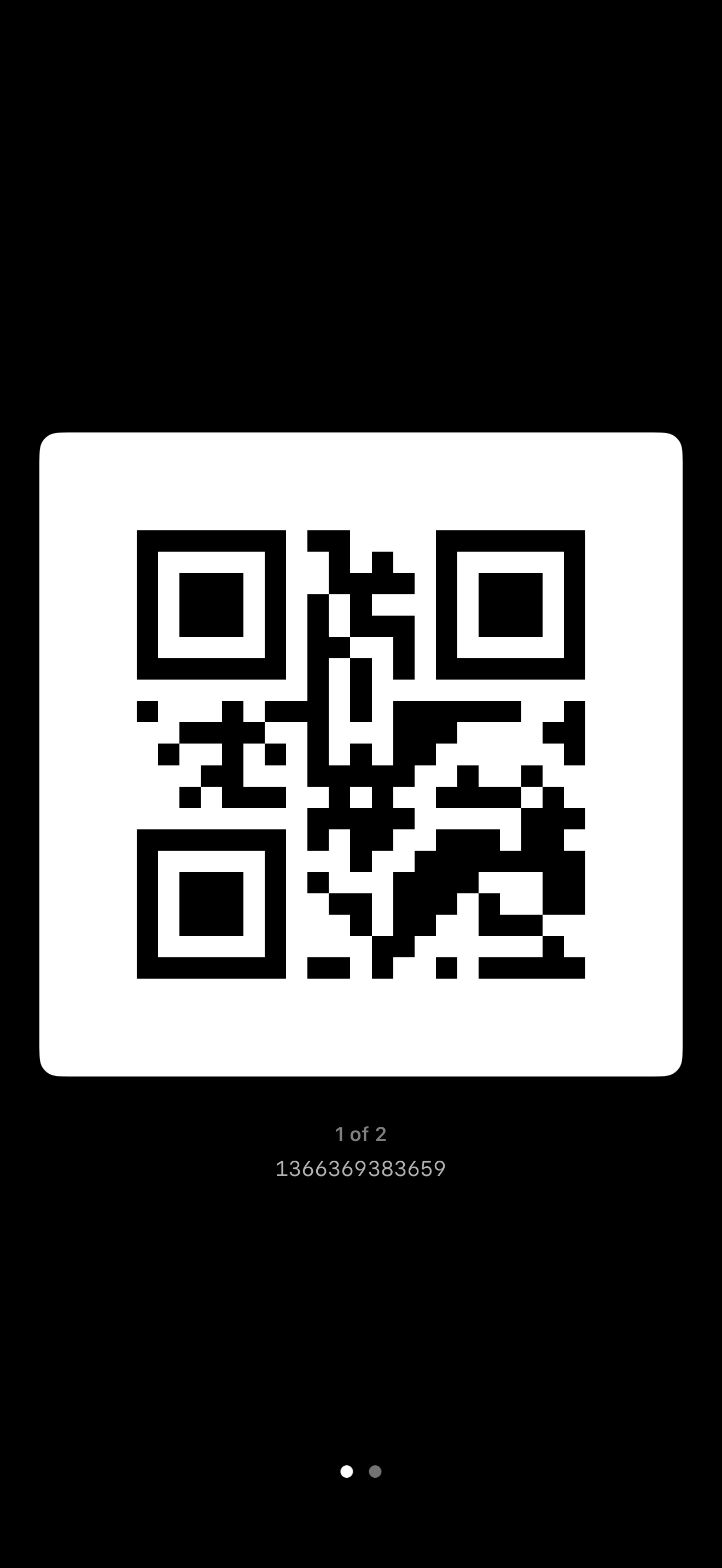
Barcodes and QR codes are detected and shown full-screen at maximum brightness — for a fast, reliable scan at the gate.
Today, at a glance
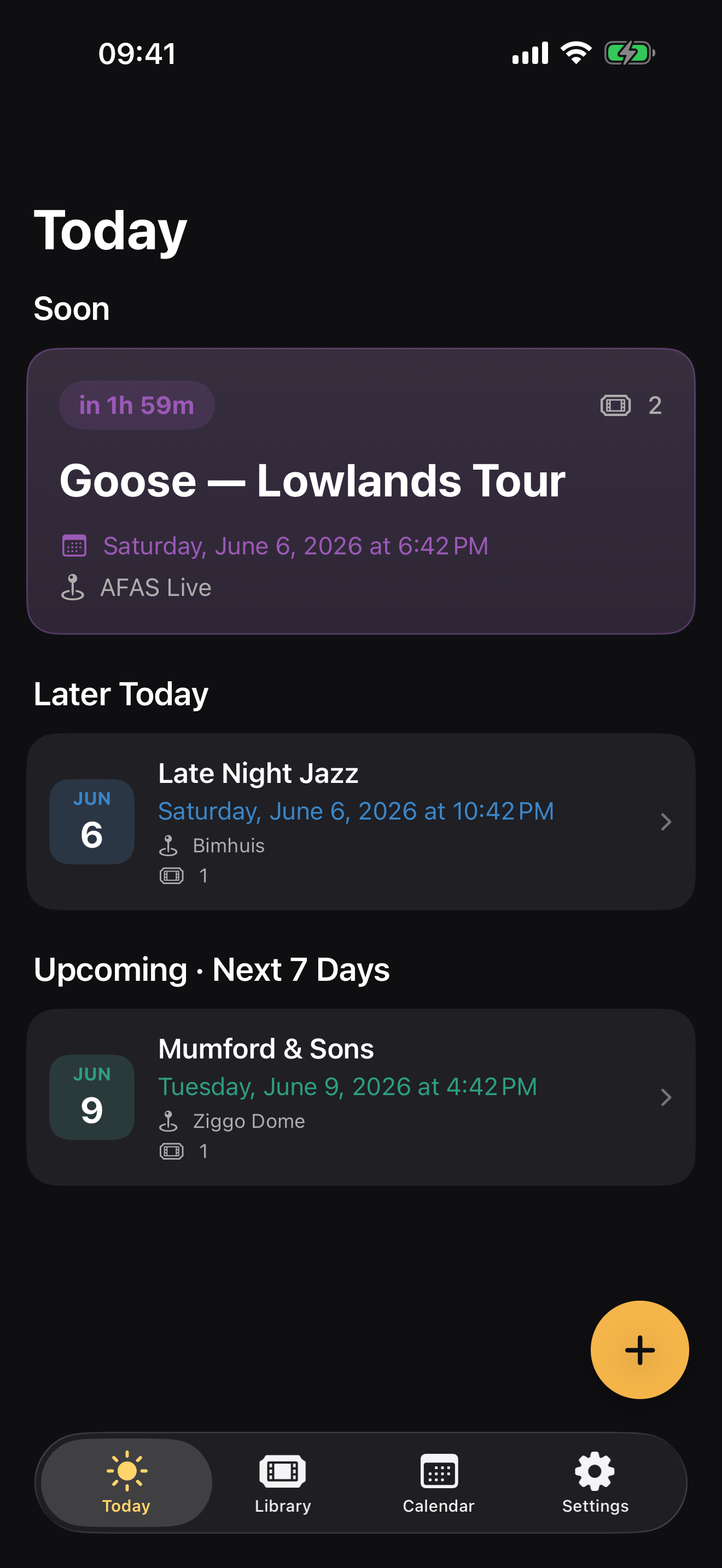
The Today view surfaces the event you need next, with the time, the venue, and how many tickets are attached — no digging required.
Library & calendar
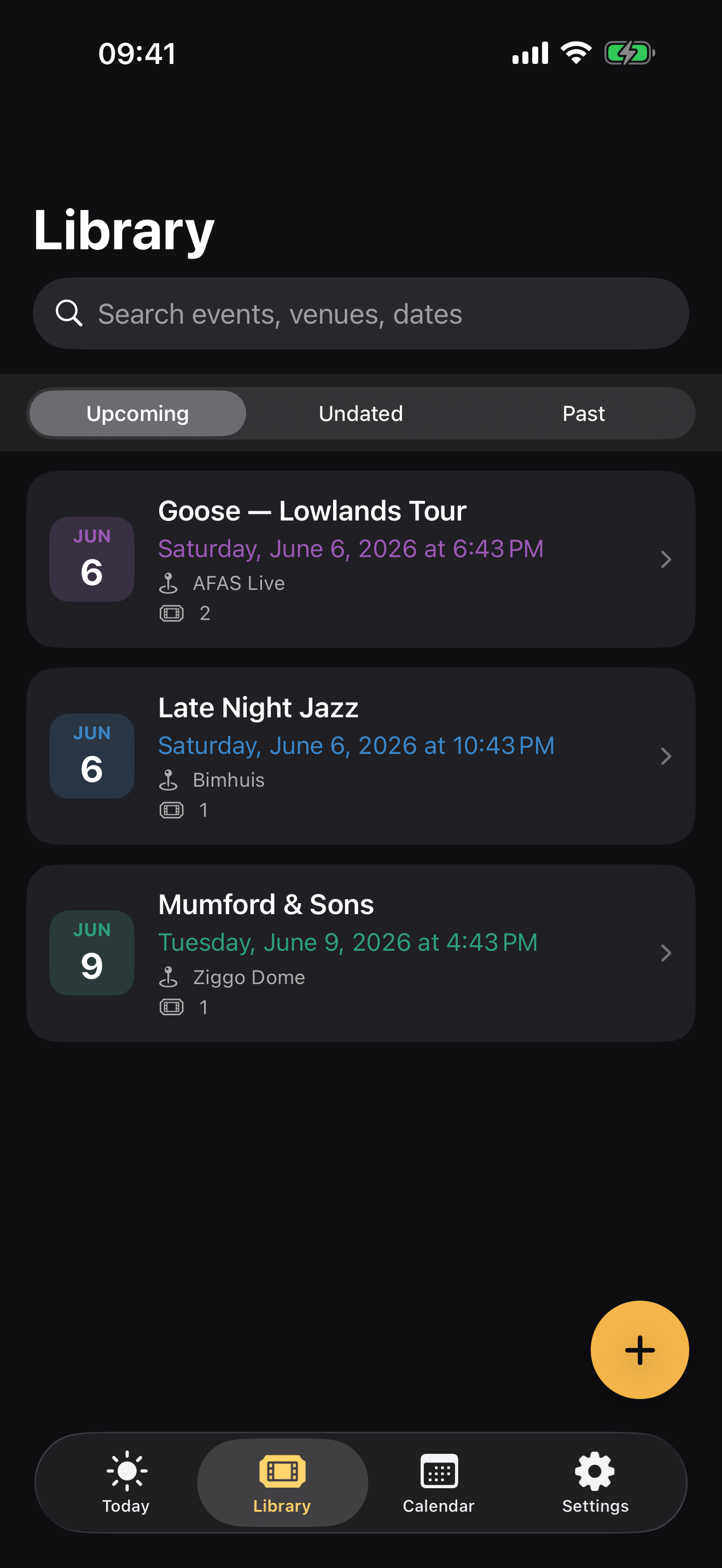
Browse everything — upcoming and past — in a searchable library or on a calendar. Add dated tickets to your calendar, kept in sync two ways.
Open-dated passes
Theme-park and day passes with no fixed date are sorted by how close you are to the venue, so the right pass is on top when you walk up.
Calm, dark, and built for the gate
Your tickets never leave your devices
There’s no account and no server. Everything lives on your iPhone and syncs through your own iCloud — so your library is on every device you own, and nowhere else.
Open the app and start — nothing to sign up for.
Tickets are processed on-device. Nothing is uploaded.
Synced across your devices through your private iCloud.
Your data is never sold, shared, or analysed.
Details that make it yours
Home Screen widgets
Your next event, right on your Home Screen — so the date and venue are there before you even open the app.
Colour from the ticket
Each event is tinted with the dominant colour drawn from its own ticket artwork, so your library is instantly recognisable.
Two-way calendar sync
Add a dated ticket to your calendar and the two stay in step — change one, and the other follows.
Frequently asked questions
Where are my tickets stored?
Everything lives on your iPhone. There’s no account and no server. Your library syncs through your own iCloud, so it’s on every device you own — and nowhere else.
How do I add a ticket?
Share a ticket into TicketBrain from any app — a PDF, a screenshot, or a photo of a printed ticket. It reads the barcode, pulls out the event, date and venue, and files it for you. You can also add one with the + button inside the app.
Does it work with multi-person PDFs?
Yes. A multi-admission PDF is split automatically into one ticket per person, so everyone in the group has their own code ready to scan.
Can I add tickets to my calendar?
Dated tickets can be added to your calendar and kept in sync two ways. There are also Home Screen widgets that show your next event at a glance.
What about theme parks and open-dated passes?
Undated passes are first-class. They’re sorted by how close you are to the venue, so the pass you need is on top when you walk up — and they can carry an expiry date too.
Is there any tracking or advertising?
None. No account, no ads, no tracking. Your data never leaves your devices.
Join the beta — or just say hello
TicketBrain is in beta ahead of its App Store launch. Want an early invite? Send a message and I’ll add you to the beta test. Questions, bug reports and feature ideas are just as welcome.
Coming soon to the App Store
TicketBrain is in beta now — get in touch for an early invite, or check back soon for the App Store launch.
Join the beta test